Transform your setup with Universal RGB, the best RGB application for PC on the entire market. Forget about installing a lot of heavy apps that consume energy and memory which slow down your pc performance. Now you can control, personalize and synchronize any RGB lights from a single command panel. Download the only Windows RGB app that you ever need, Universal RGB.
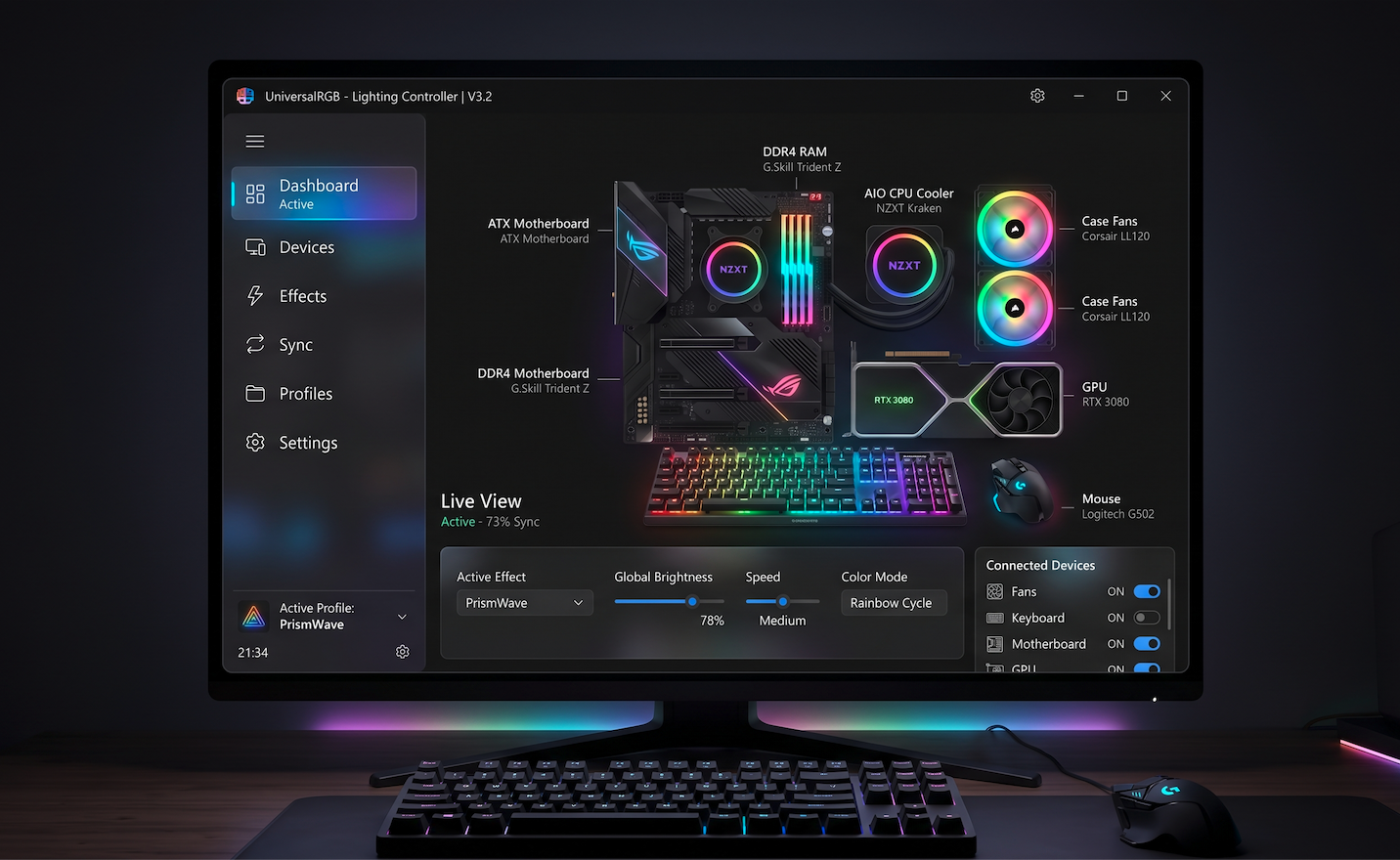
The only RGB app that you need on your PC.
If you are searching for a solution where you need to control your entire light system, you are in the right place. For a very long time users were forced to utilize programs full of bloatware for every single device. We created Universal RGB, an app that solves exactly this huge problem, offering a unique interface which consumes minimal resources, where you can control everything from this beautiful interface.
RGB app for gaming laptops and PC’s
Gamers and professionals know how important is the performance of their systems. Because of that, Universal RGB were built to be extremely easy. Doesn’t matter if you use it to personalize your pc or laptop, our RGB app run smoothly in background, using no more than 1% from your CPU. Because of that you can run your games without loosing FPS.
Universal compatibility: An RGB app for different brands
The biggest frustration for passionate gamers is the lack of communication between hardware. We developed Universal RGB exactly like an RGB app for different brands, capable of recognizing and synchronizing devices from different manufacturers.
Native support for Alienware and other top brands
You’re are not limited anymore when you want to build your dreams gaming pc. Our inteligent interface its capable of controlling complex lighting systems including famous RGB led’s from Alienware pc’s or laptops. More than that, our software supports devices from:
- Corsair (ram memories, coolers, peripherals)
- ASUS ROG (motherboards, led strips)
- Razer and Logitech (keyboards, mouse, headphones)
- MSI, Gigabyte and other.
How does the Universal RGB app work?
Our design is focused on the user, making Universal RGB the most intuitive RGB app for Windows 10 and 11.
Automatic detection of the hardware
When you open the app, it will automatically scan your system and will show you all the devices compatible in “Device Manager”, ready to be personalized.
Perfect synchronization and Canvas Layout
Through our unique Canvas feature you can arrange your virtual devices exactly how they are placed on your desk. If you apply the Wave effect, the light will flow naturally from keyboard through mouse and then to the other components inside your PC.
Personalized profiles and Auto-Switch
Save light profiles for any moments of the day or night, and set the app to change the colors, as example e red theme when you open a shooter or a white light when you open editing software.
Are you ready to take control of your RGB lights?
Don’t let unoptimized tools to dictate how your system looks and how it runs. Go to the next level of personalization with Universal RGB. It’s fast, stable and completely free.
Fully compatible with Windows 10 and Windows 11. Small CPU consumption guaranteed.
